What it does
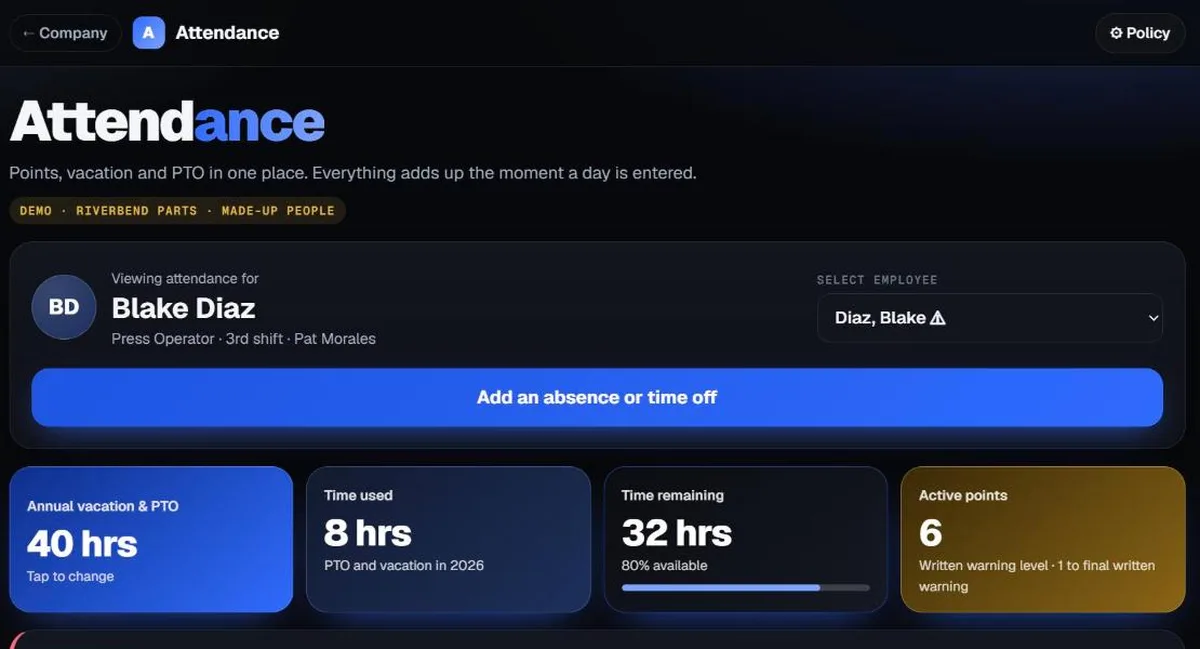
- Enter a day off or a missed day, and points, PTO used and PTO left update right away.
- Set your own codes, point values and warning levels to match your policy.
- When someone reaches a warning level, the notice is drafted for you. A supervisor reviews it before it's given.
- Each supervisor sees only their own people. Admins see everyone.
- Add or remove employees any time, or upload a spreadsheet.
Who it's for
Hourly workplaces that use an attendance point policy and want PTO in the same place.
How you use it
- Enter your point values, codes and warning levels.
- Add your employees and supervisor logins.
- Enter days as they happen.
- Review and give warnings when they come due.
Questions
Do points come off over time?
Yes. You set how long a point stays active, and old points drop off on their own.
Can we keep it up ourselves?
Yes. Your admins add people, change the policy and enter days whenever they need to.
Is a warning ever sent automatically?
No. The app drafts it, and a person reviews and gives it.